![kb-odx-application-logo-white.png]](https://kb.optimaldx.com/hs-fs/hubfs/kb-odx-application-logo-white.png?height=50&name=kb-odx-application-logo-white.png)
Any blood test can easily be deleted from the software by following these simple instructions:
From Patient Dashboard
1. From your ODX dashboard, go to "Patients", choose "View Patients" and select the patient profile you wish to remove a blood test from.
2. On the Patient data page, scroll to "Blood Tests" and click on the blood test date you want to delete.
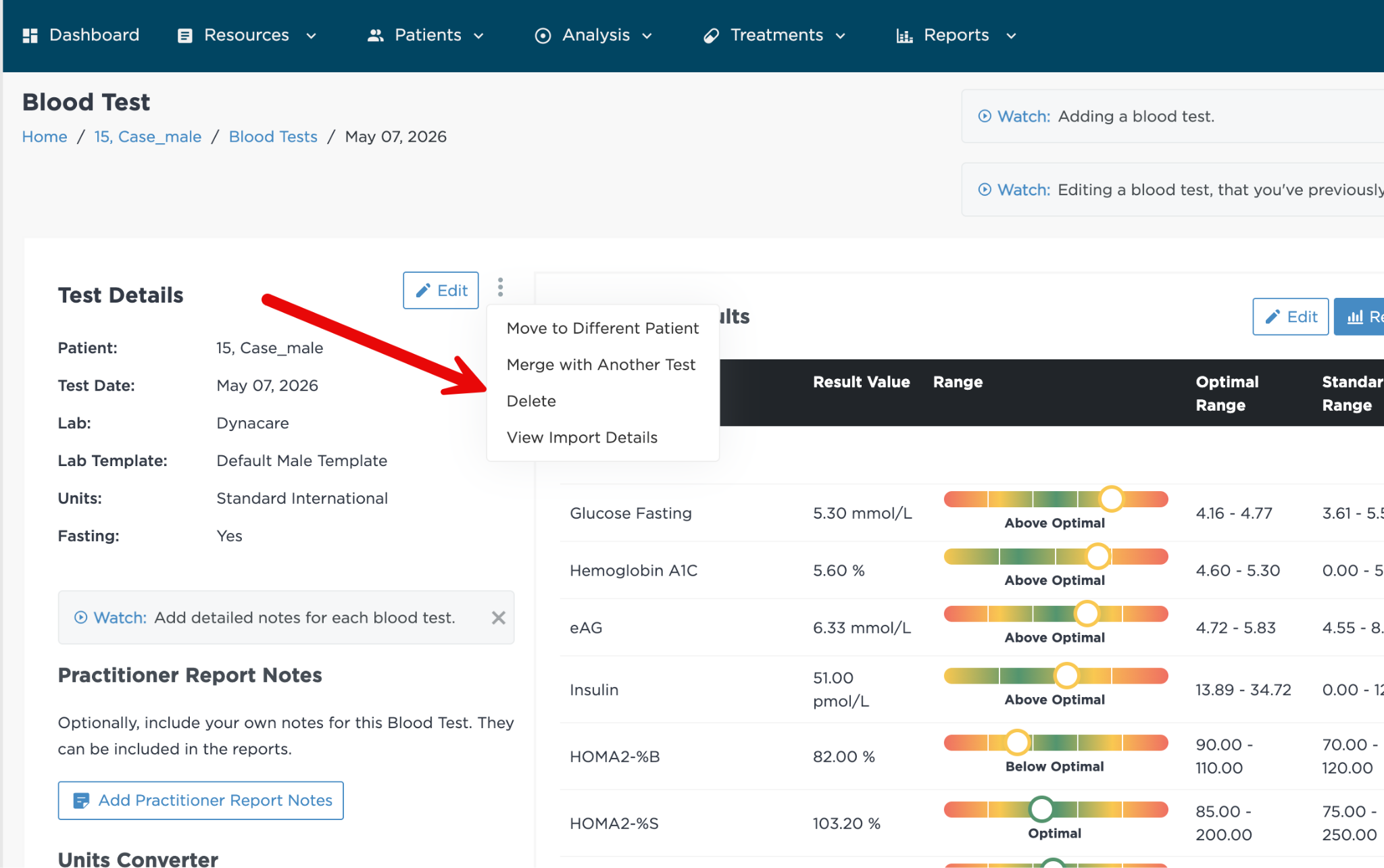
3. Next to "Test Details", hover over the 3 dots to the right of the "Edit" button and click "Delete".
From the View Blood Tests Page
Go to the "View Blood Tests" page and select the blood test you want to delete: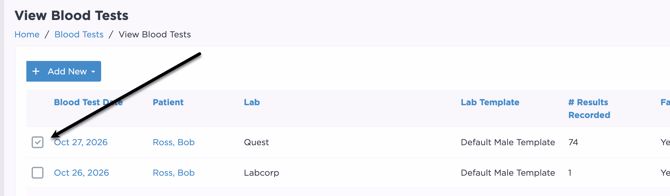
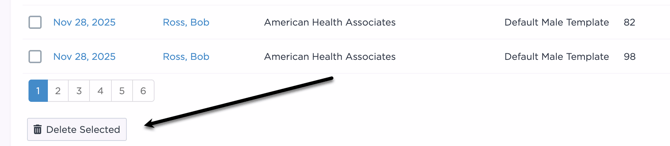
Then scroll all the way to the bottom of the page and click "Delete Selected"